Building High-Quality Kids' Activity Books with Word Search Kids Activity for KDP Vol-41
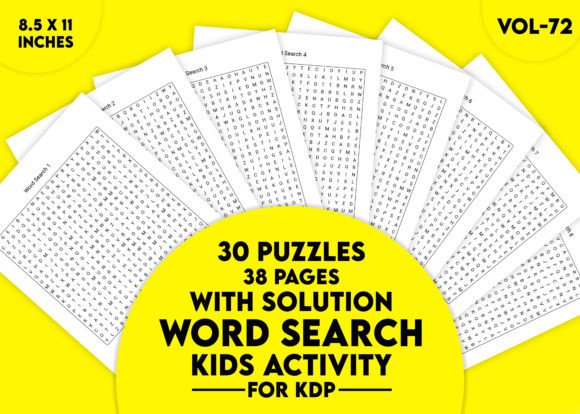
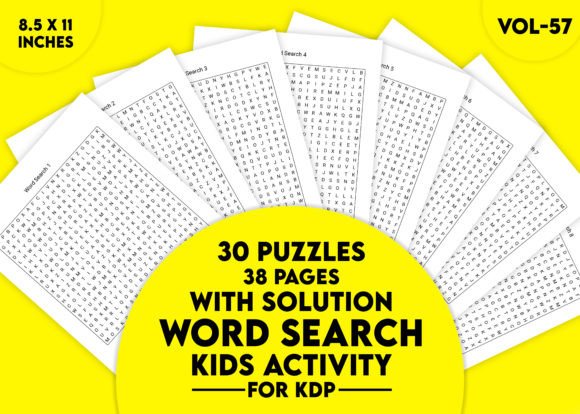
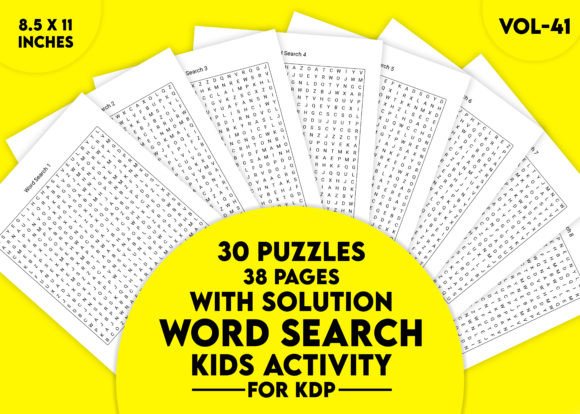
When you're putting together a low-content or activity book for Amazon KDP, the interior puzzle pages are the backbone of the entire product. For many creators, the difference between a book that gets returns and one that earns steady passive income comes down to two things: ease of preparation and the experience of the end user. Word Search Kids Activity for KDP Vol-41 is a ready-to-use interior file that directly addresses both. It contains 30 themed word search puzzles, formatted exactly to KDP's most common trim size, and includes solutions in a separate, logical layout. Rather than spending hours designing grids from scratch or checking for alignment issues, you insert this asset into your workflow and move on to covers, descriptions, and marketing.
This isn't a generic puzzle pack you'd find on any free site. The design choices — one puzzle per page, four solutions per page, standard 8.5 by 11 inch dimensions — show that the creator understands how KDP books are printed, sold, and used. Whether you're a publisher building a series of children's activity books, an educator prepping classroom resources, a parent crafting a customized learning binder, or a freelancer assembling a client's project, understanding how to integrate this volume into your process will save time and improve output consistency.
What Makes This Puzzle Set Fit a Production Mindset
Look at the specs and you'll immediately see a resource that was built for assembly-line thinking. It's a PDF file, ready to upload or print. That means no conversion guesswork, no font embedding problems, and no need to fiddle with page numbers or margins if you're following KDP's guidelines. The dimensions — 8.5 by 11 inches — match the most widely used trim size for paperback activity books, coloring books, and puzzle collections. If you've ever tried to resize a puzzle grid made for A4 into a US letter layout, you know how warped spacing can ruin the reading experience for a child.
Thirty puzzles isn't an arbitrary number either. For a KDP activity book, a count in that range is enough to deliver perceived value (especially when paired with solutions) without making the book so long that printing costs eat into your royalty. Every puzzle occupies its own page, which eliminates bleed-through concerns and gives kids a clean, uncluttered surface to work on. Solutions, grouped four to a page, condense the back matter efficiently. This careful page economy — full puzzles up front, compact answers in the back — is something experienced publishers plan for; Vol-41 already has it baked in.
Where This Fits Into Your Publishing Timeline
Publishing a KDP activity book isn't a single-step process. You go through niche research, keyword analysis, cover design, interior preparation, uploading, and marketing. The interior file is often the biggest bottleneck because if you're creating puzzles manually, quality control becomes an enormous time sink. You have to verify every word placement, ensure no inappropriate letter combinations appear by accident, and test that solutions are accurate.
Word Search Kids Activity for KDP Vol-41 shifts that bottleneck. Instead of spending days designing, you spend minutes downloading the PDF, reviewing it, and slotting it into your manuscript file. The early phase of your project — deciding on a theme — might be influenced by the 30 puzzle topics already present. You can then tailor your cover and title to match the strongest theme from the collection, or bundle several volumes together if you're building a series. After you upload the PDF, KDP's print preview tool will reflect exactly what customers see, and because the file is pre-sized, you're less likely to encounter margin trim errors that cause rejections.
Integrating Vol-41 With Other KDP Assets and Tools
Most successful low-content publishers don't stop at a single activity book. They create complementary products — like coloring books, maze collections, or sudoku pads — and cross-promote. The word search interior from Vol-41 pairs naturally with a coloring book that shares a similar age range. You can design a cover series that visually links both products, then use A+ Content or a simple "Also Available" page to drive internal traffic on Amazon.
From a file management perspective, if you use design software like Adobe InDesign, Affinity Publisher, or even Canva to assemble your book, this PDF can be placed as a linked file or inserted directly. Because it's clean and unadorned, you can easily add a title page, a "This Book Belongs To" page, or a few bonus coloring pages at the front without disrupting the puzzle flow. Some creators add a QR code to the cover or inside page linking to a free printable or a coupon for another volume; Vol-41's simplicity makes those additions straightforward because you're not working around embedded clip art or busy headers and footers.
If you sell on platforms beyond Amazon — Etsy, Teachers Pay Teachers, Gumroad — the same PDF can be repurposed as a digital download, a printable learning pack, or a lead magnet. In those contexts, you'd likely split the file or add branding, which is easy to do with a clean source document. Note that the solutions being on separate pages means a printable version for home use remains tidy: parents print the puzzle pages only, and refer to solutions on-screen if needed.
Practical Implementation for Educators and Homeschooling Parents
Beyond the KDP market, this puzzle set functions as a plug-and-play resource for classrooms and home learning environments. A teacher planning a unit on animals, space, or seasons can pull a themed word search as a warm-up activity, a vocabulary builder, or a quiet task for early finishers. Since solutions are included, students can self-check, which reduces the teacher's monitoring load during independent work time.
When using Word Search Kids Activity for KDP Vol-41 in a learning setting, consider these integration points:
- Pre-teaching vocabulary: Before introducing a new topic, print the relevant puzzle. As kids search for words, they become familiar with spelling and word shapes.
- Assessment differentiation: For students who finish written assessments quickly, a puzzle provides a productive, low-stress extension.
- Home communication: Send a puzzle as a non-digital homework option. Parents often appreciate screen-free activities that still reinforce concepts.
- Themed binder creation: Print all 30 puzzles and insert them into plastic sleeves. Pair with a dry-erase marker for a reusable station that multiple children can cycle through.
Because the puzzle pages are uncluttered and the font size is appropriate for kids, early readers and children developing fine motor skills won't feel overwhelmed. The range of difficulty across the 30 puzzles also means you can sequence them for a full school term or summer program, gradually increasing the challenge as students' vocabulary and pattern-recognition skills improve.
Quality Control and Avoiding Common Pitfalls
Even with a pre-made interior, a quick quality review is essential. Open the PDF and scroll through every page. Confirm that no puzzle extends into the KDP margin safety zone — typically 0.375 inches from the outer edge for bleed-free interiors. Since the PDF is sized at 8.5 by 11 inches, you'll want to set your KDP trim size to match exactly, and choose "No Bleed" unless your cover has bleed.
Check the solutions section for legibility. Grouping four solutions per page is space-efficient, but make sure the text remains readable when printed at actual size. If you're targeting a younger audience, you might decide to give the solutions their own full pages; in that case, you can insert blank pages in your manuscript to separate them. However, the current layout works well for children aged 6 and up, who typically don't need giant text.
Also, verify that the PDF file can be opened on different devices. A corrupted or overly-compressed PDF can cause printing artifacts. I recommend opening it on a basic PDF reader (like Adobe Acrobat Reader) and printing a single test page on regular paper before ordering a proof copy from KDP. This step catches subtle issues like grayish gridlines that don't reproduce well, though Vol-41's grids are designed in high-contrast black for crisp output.
Long-Term Use and Repurposing the Content
Activity book creators often buy a set of puzzles, publish a book, and then forget the files. But the value of Word Search Kids Activity for KDP Vol-41 extends beyond a single project. Think about seasonal refreshes: you could publish a summer-themed book this year using ten of the puzzles, then next year combine the remaining twenty puzzles with new cover art and a revised title. Or separate the puzzles into smaller "mini book" versions for a different price point.
For educators and content creators, these puzzles can be the raw material for interactive digital products. Extract the grid as an image, overlay it on a Google Slide or a Seesaw activity, and add draggable highlights for a tech-enhanced version. Because the PDF is single-layer and unencrypted, screen capture or conversion is quick. Some sellers use puzzles like these to create editable Canva templates, which they then license to other creators — extending the revenue stream well beyond a single book listing.
Another long-term consideration is brand building. If you establish a series of activity books for kids, you want a consistent look. Vol-41's clean, borderless-puzzle design can become your signature. By using similar puzzle packs from the same source, your catalog will have a cohesive feel that customers recognize. That brand consistency signals professionalism and can improve conversion rates on your author page.
Preparing the Final File for KDP Upload
When your manuscript is ready to go, the upload process is straightforward, but a few small steps make a big difference. In your KDP Bookshelf, create a new paperback. Set the trim size to 8.5 by 11 inches, and for interior type, select black and white with white paper. Do not select cream paper because the contrast on cream can muddy the grid lines; white paper keeps the puzzle crisp.
Upload the PDF as your manuscript. The KDP platform will spin through the file and flag any margin issues. If it does, you can typically adjust the scale in your print settings to fit, but that shouldn't be necessary with a properly sized file. Once the previewer loads, click through every page. Pay special attention to the solution pages: make sure the four-per-page grouping doesn't cause any crowding near the gutter. If you're publishing a book with more than 100 pages, check the gutter margin widening on left-side pages — though for activity books this thin, it's rarely a problem.
After the interior passes review, the rest of the workflow is standard: cover design, pricing (calculate royalty based on page count), and publishing. Because Word Search Kids Activity for KDP Vol-41 handles the content legwork, you can allocate more focus to these revenue-affecting elements.
Making the Most of the Included Features
The 30 puzzles cover multiple themes and difficulty levels, which automatically helps your book appeal to a broader age range. If your cover lists the book as "ages 6-9", you can include simpler puzzles at the front and more challenging ones toward the back, creating a natural progression. The one-puzzle-per-page rule also leaves room for kids to write their name, date, or a small doodle in the margin — a small detail that parents and teachers appreciate because it turns the page into a personal record.
Solutions grouped four-to-a-page are not only space-efficient; they also discourage kids from peeking accidentally. If solutions were on the back of each puzzle page, the temptation to flip would be high. Placing all solutions in the back trains children to persist a little longer before seeking the answer, which supports the puzzle's educational value.
If you're targeting specific niches — for example, animal lovers, space enthusiasts, or holiday-themed activity seekers — Vol-41's variety allows you to select only the most relevant puzzles for a niche book, while keeping the unused ones for another project. This pick-and-choose flexibility is much more efficient than commissioning a custom set of word searches for every new book idea.
A Workflow Example From Concept to Published Book
To see how all this comes together, imagine a freelancer who wants to launch a kids' activity book on Halloween. They open Vol-41 and find three Halloween-themed puzzles. They supplement those with two fall-themed puzzles and five general vocabulary puzzles that fit the season. They design a vibrant cover with spooky fonts, add a "This Book Belongs To" page, then insert the ten selected puzzles, followed by their solutions. The entire interior assembly takes under thirty minutes. They upload to KDP, order a proof, and approve it within a week. The book goes live, priced at $5.99, and they immediately start working on the Christmas version using the remaining puzzles as a base.
This rapid turnaround is only possible because the heavy lifting — puzzle design, layout, grid testing — has already been done. The freelancer's skill is in curation, branding, and marketing, not in constructing word lists and checking diagonal placements. That's the real value proposition of a resource like Word Search Kids Activity for KDP Vol-41: it accelerates the iterative cycle of publishing, allowing you to test market demand without gambling weeks of manual labor on one book project.
Whether you're a seasoned publisher scaling your catalog or a newcomer who wants to avoid the rookie mistake of designing puzzles that end up misaligned, this volume provides a stable, production-ready foundation. The key is to think of it not as a standalone product, but as a component in your broader system — a module you can drop into different projects, adapt for various audiences, and combine with other resources to build a reliable, revenue-generating activity book line.